How to Generate an AI Summary of Your File in Maestra Studio
AI Summary turns a file in Maestra Studio into a short written summary. Open a file, select AI Summary in the top bar, choose how long the summary should be and what it should include, then select Generate summary.
What you need before you start
- A Maestra Studio account and a file that is Ready in your library. See Upload a File and Get a Transcript.
- A plan that includes AI Summary. Check the Plans page if the button is missing or unavailable.
Open AI Summary
- Open a file from the Transcription, Subtitle or Voiceover list.
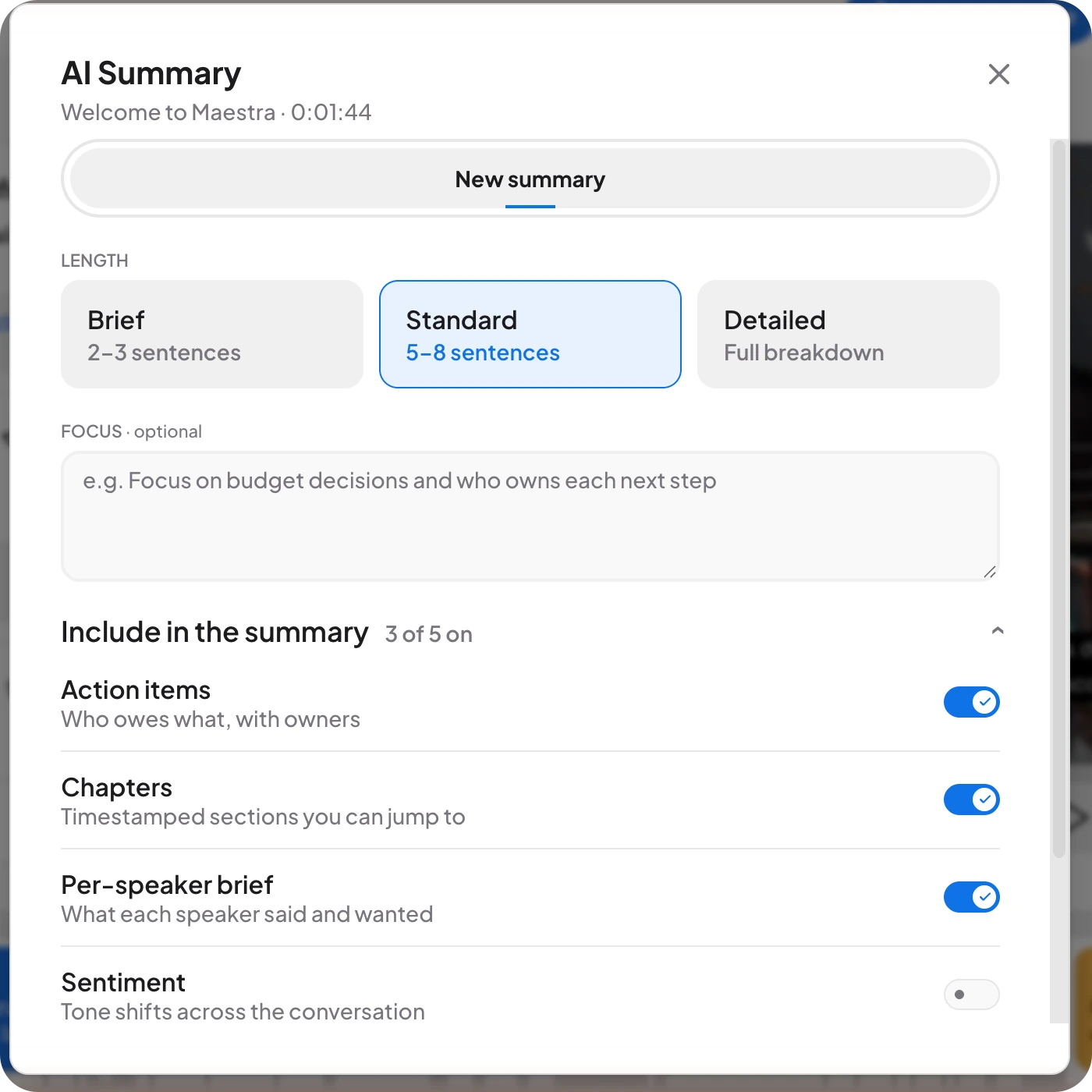
- Select AI Summary at the top left of the editor, next to the search icon. The AI Summary window opens. It shows the file name and its length.
Choose the length
Under Length, pick one option:
- Brief: 2 to 3 sentences.
- Standard: 5 to 8 sentences. This is selected by default.
- Detailed: a full breakdown.
Add a focus
The Focus box is optional. Describe what the summary should pay most attention to, for example "Focus on budget decisions and who owns each next step".
Choose what to include
The Include in the summary list has five switches. By default, three of the five are on.
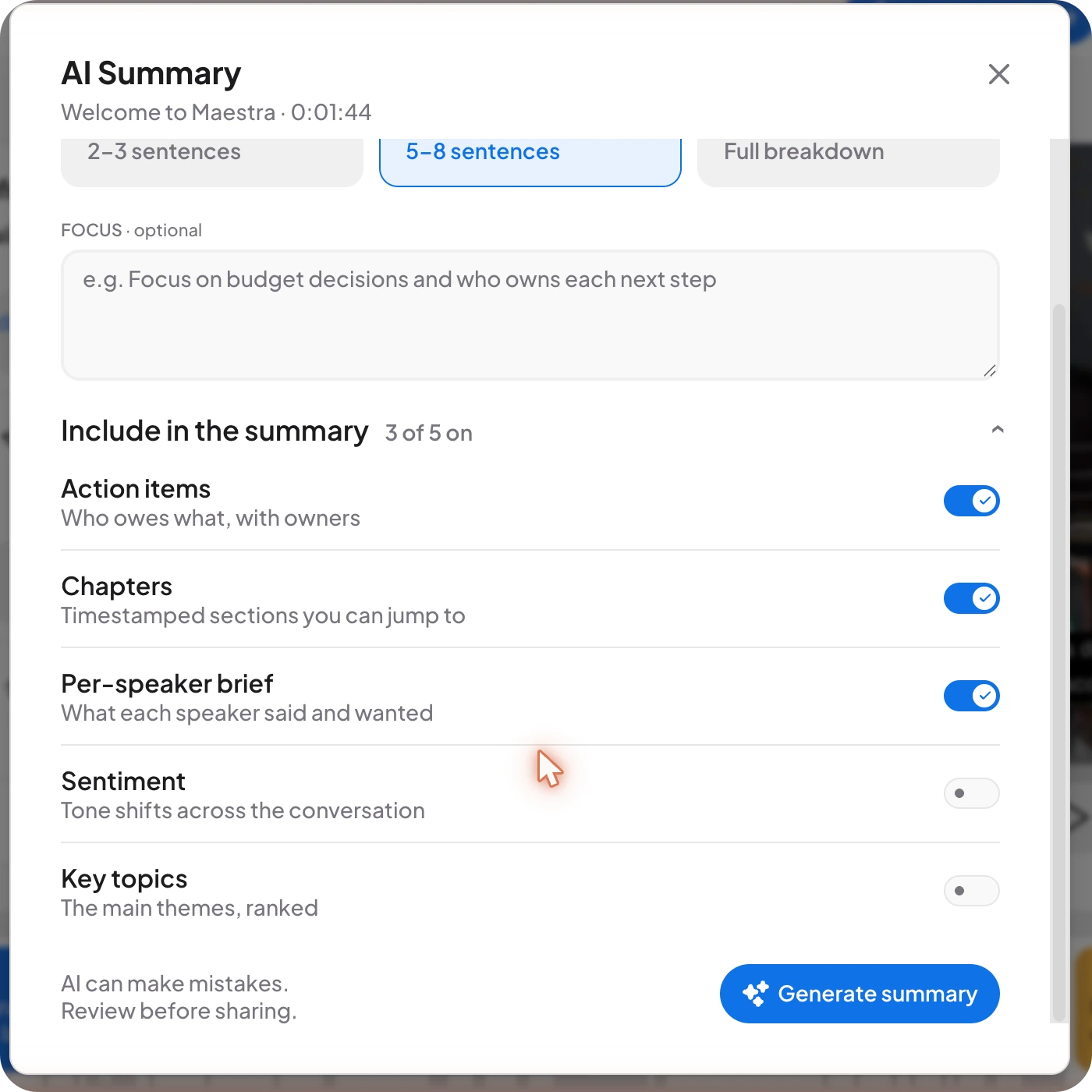
- Action items: who owes what, with owners.
- Chapters: timestamped sections you can jump to.
- Per-speaker brief: what each speaker said and wanted.
- Sentiment: tone shifts across the conversation.
- Key topics: the main themes, ranked.
Generate the summary
Select Generate summary. The window reminds you that AI can make mistakes, so read the result before you share it.
Frequently asked questions
It writes a summary of your file. You choose the length, an optional focus, and which parts to include, such as action items, chapters, a brief per speaker, sentiment and key topics.
Brief is 2 to 3 sentences, Standard is 5 to 8 sentences, and Detailed is a full breakdown.
Yes. Type your request into the optional Focus box, for example to focus on budget decisions and who owns each next step.
No. AI can make mistakes, so review the summary before you share it.
AI Summary is available in the transcript, subtitle and voiceover editors.