How to Connect TikTok Ads Manager to Maestra Studio
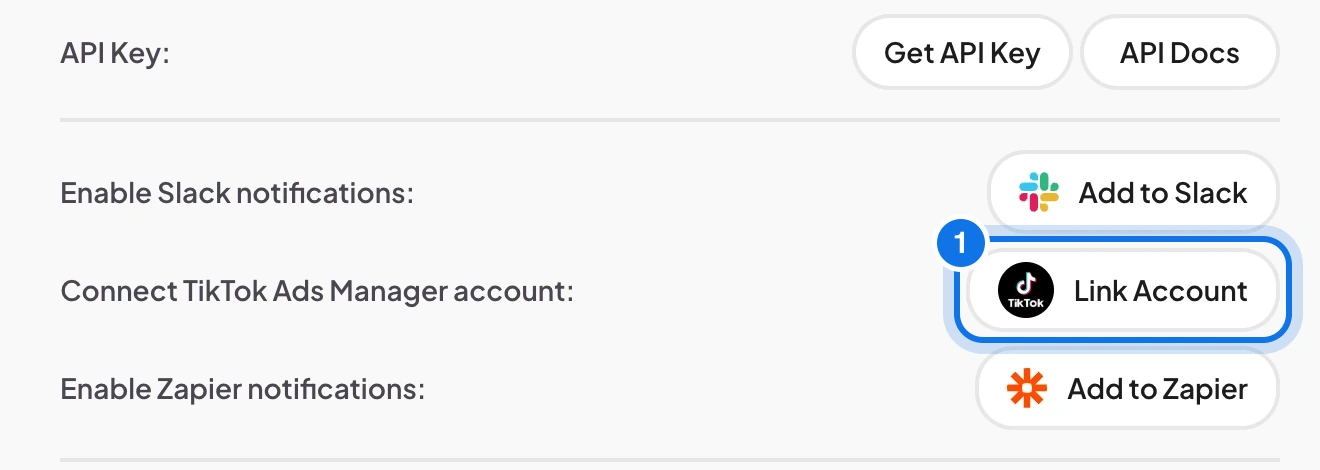
To connect TikTok Ads Manager, open Account in Maestra Studio, select Link Account next to Connect TikTok Ads Manager account, and sign in to TikTok. Once linked, you can translate your ad videos and sync them to Ads Manager.
Link your account
- Open Account from the settings icon next to your name at the bottom of the left sidebar.
- Next to Connect TikTok Ads Manager account, select Link Account (marked 1 below).
- Sign in with your TikTok Ads Manager account and approve the connection.
Send translated videos to Ads Manager
- Upload your video to Maestra Studio and translate it into the languages you need.
- Render the video from the editor with the configuration and language you want.
- Create a shareable TikTok Ads Manager link from the editor.
- Upload the rendered MP4 file to the shareable link and sync it to your Ads Manager account.
Maestra Studio is also available in the TikTok Ads App Center.
Frequently asked questions
On the Account page, next to Connect TikTok Ads Manager account. Select Link Account.
Maestra Studio translates into more than 125 languages.
Yes. Maestra Studio is listed in the TikTok Ads App Center.